Export subtitles for the next step.
Keep a subtitle file for your player, editor, reviewer, or publishing workflow. Export SRT, VTT, TXT, XLSX, or DOCX from the same project.
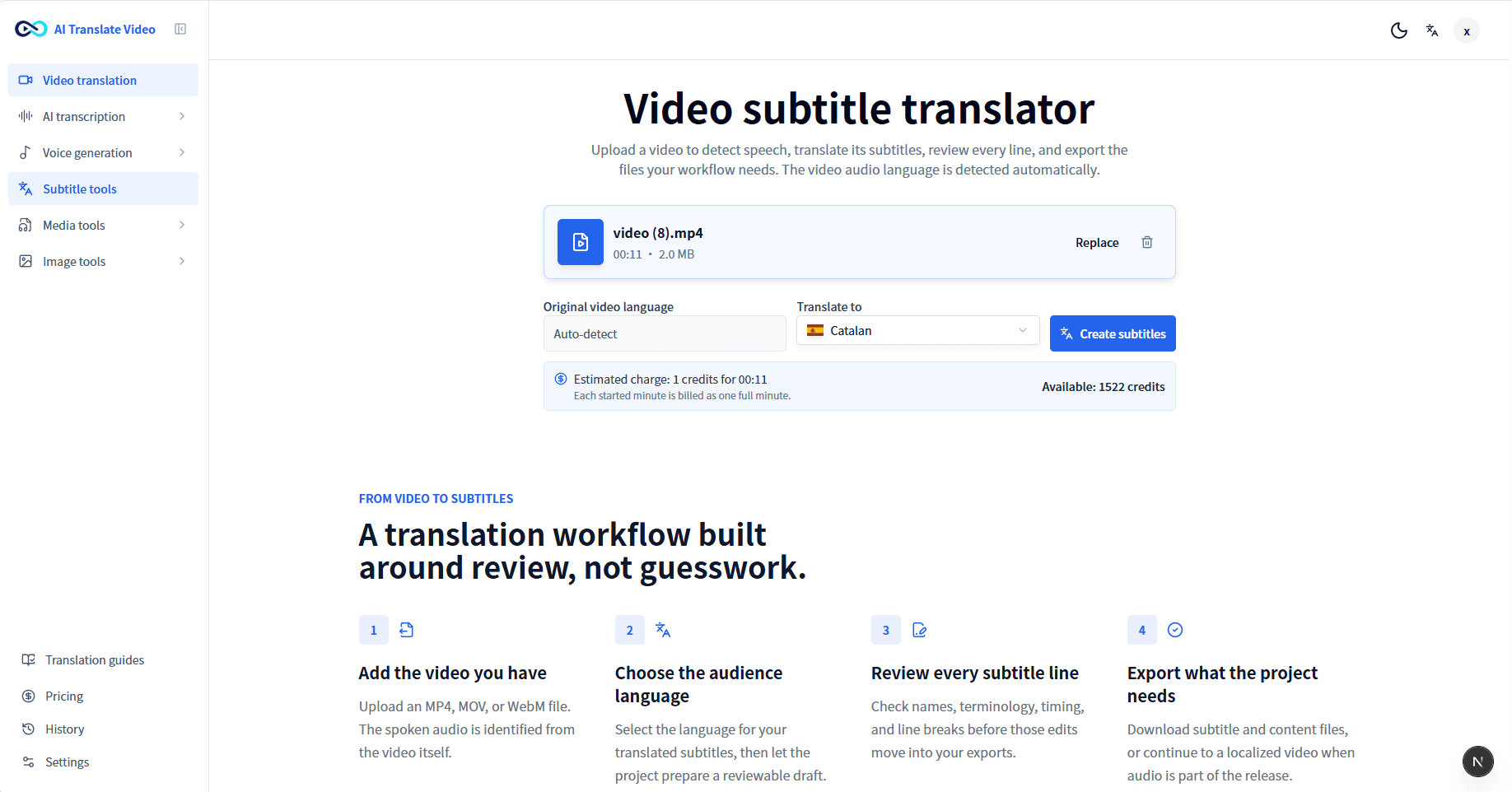
Upload a video to detect speech, translate its subtitles, review every line, and export the files your workflow needs. The video audio language is detected automatically.
FROM VIDEO TO SUBTITLES
Upload an MP4, MOV, or WebM file. The spoken audio is identified from the video itself.
Select the language for your translated subtitles, then let the project prepare a reviewable draft.
Check names, terminology, timing, and line breaks before those edits move into your exports.
Download the subtitle and content files your publishing or review workflow needs.
REVIEW BEFORE EXPORT
A translated subtitle draft gives you a place to check the details viewers notice before it becomes an SRT, VTT, or another subtitle file.
Names, product terms, and abbreviations that need one consistent spelling.
Numbers, dates, units, and calls to action that viewers need to understand correctly.
Subtitle timing and line breaks while the original video is playing.
VIDEO CAPTION TRANSLATION
Start with the spoken content in your uploaded video. The subtitle workflow produces a translated caption draft you can inspect before you download a subtitle file for publishing or review.
Upload the video with the spoken audio you want to translate.
Let the project detect the audio language, then choose the subtitle language for your audience.
Review the translated caption draft line by line before downloading the files you need.
THE REAL REVIEW WORKSPACE
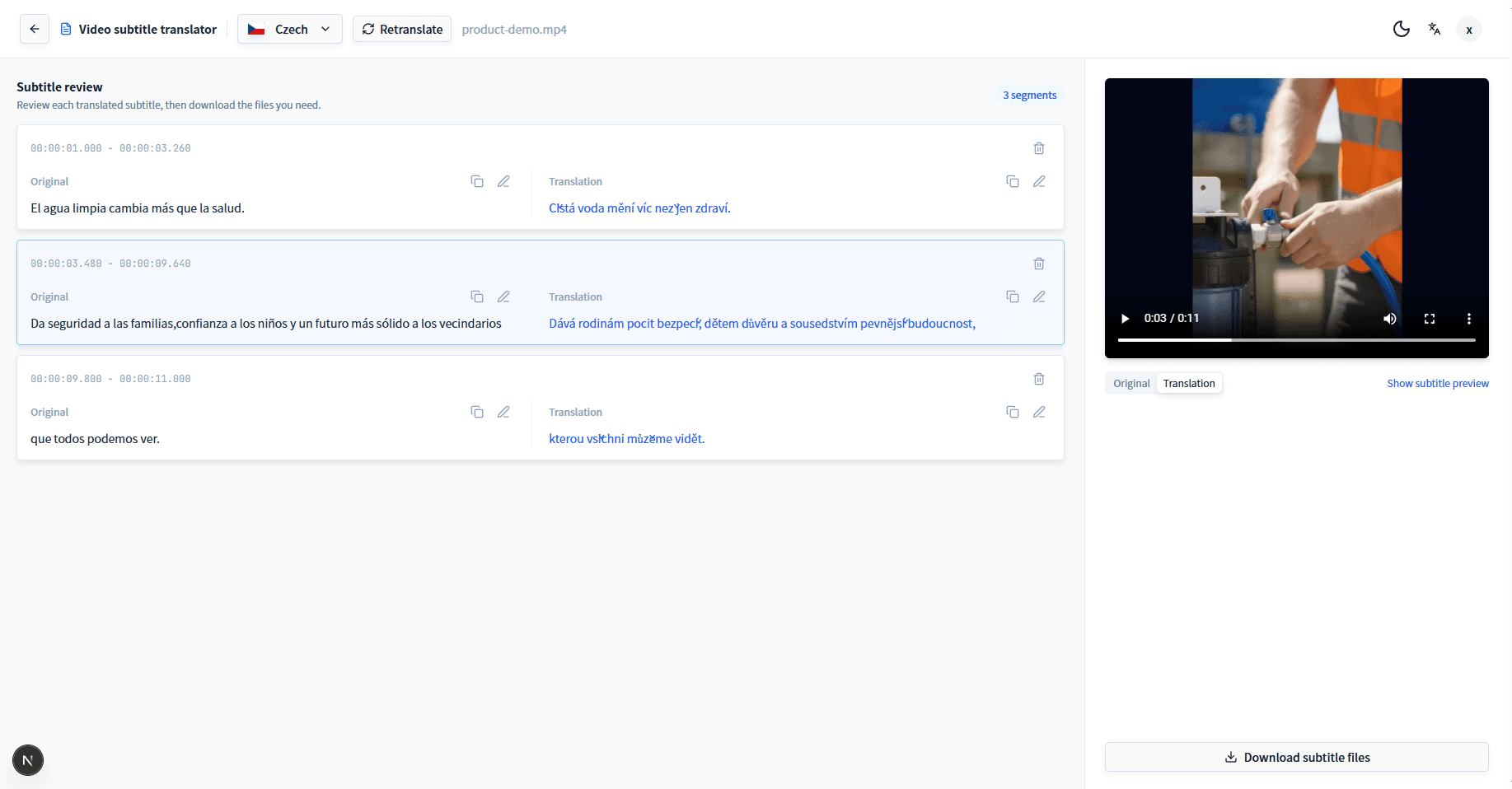
Keep a subtitle file for your player, editor, reviewer, or publishing workflow. Export SRT, VTT, TXT, XLSX, or DOCX from the same project.
Use Subtitle Workspace when you only need to edit, merge, split, retime, or export an existing subtitle file locally.
Open Subtitle WorkspaceVideo Translator is the separate workflow for translated audio, AI voiceover, and localized video output. This subtitle tool stays focused on reviewable subtitle files.
Explore Video Translator Translate an MP4 video instead See a Spanish-to-English workflowProcessing is credit-based. Check available plans before you start, then review and export subtitle files from the project.
View pricingQUESTIONS BEFORE YOU START
Yes. Upload an MP4, MOV, or WebM video, choose the subtitle language for your audience, and review the translated caption draft before export.
Yes. After review, you can download translated subtitle files as SRT or VTT. TXT, XLSX, and DOCX exports are also available for content review workflows.
The uploaded video audio is detected automatically. Review the resulting transcript before you export so you can catch names, terminology, and any wording that needs attention.
Yes. The workflow includes transcript and subtitle review. Changes to the translation are reflected in the subtitle files you download.
Yes. Projects can export subtitle and content files including SRT, VTT, TXT, XLSX, and DOCX, depending on the format you need to share or review.
You can upload MP4, MOV, or WebM files up to 1 GB. Standard translation supports videos up to 8 minutes 20 seconds.
No. Video Subtitle Translator is for translating, reviewing, and downloading subtitle files. Use Video Translator when you need a separate localized-video workflow.
Start with the video you have, then review and download the subtitle files your audience needs.